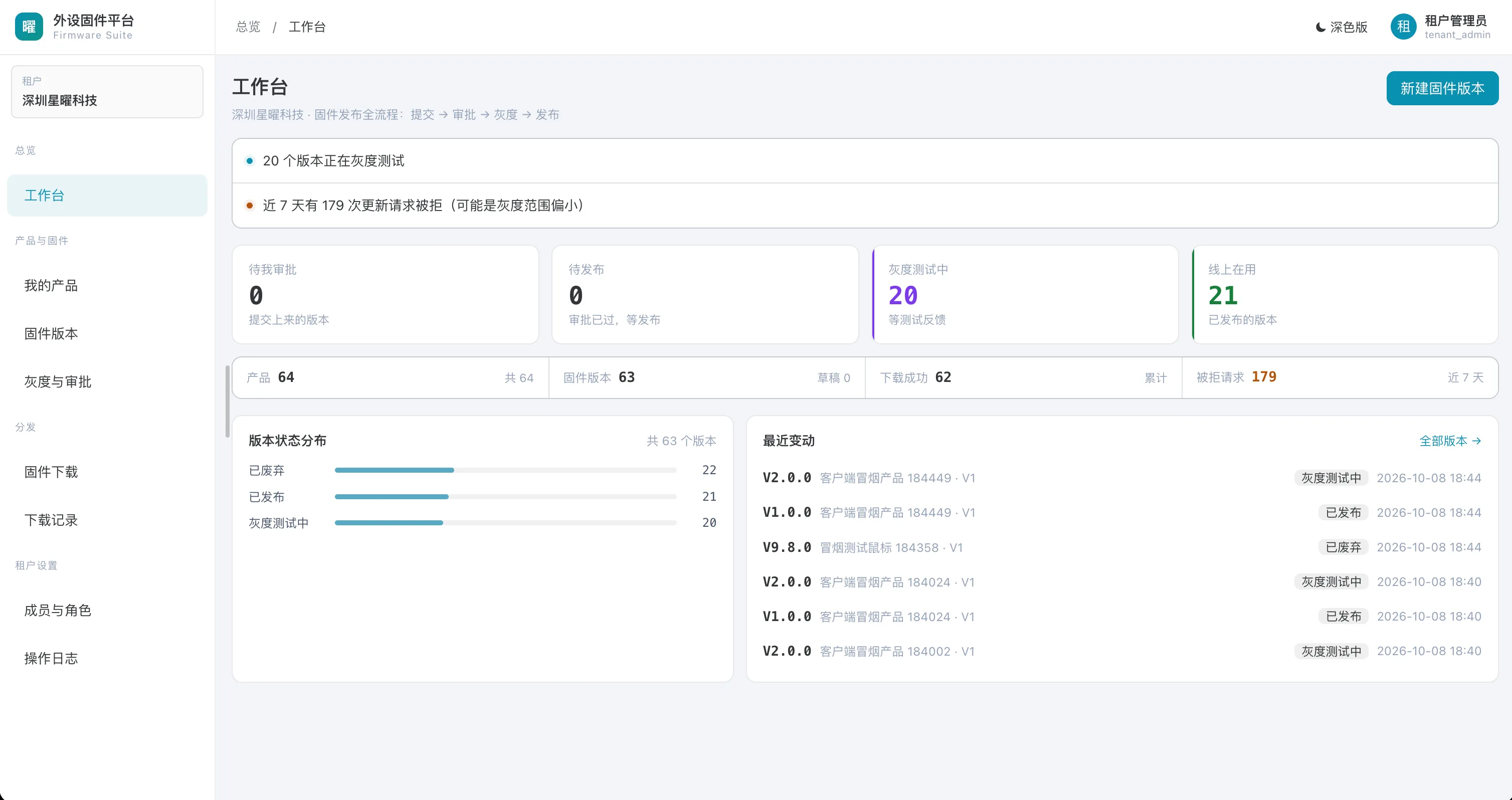
Dashboard
Pending approval, ready to release, in canary and live — all four states at a glance, with version distribution and recent activity updating live. Anomalies are surfaced proactively.
Firmware Platform
The peripheral firmware platform keeps version hierarchy, approval workflow, canary scope and distribution records in one place. Who submitted it, who approved it, how many devices received it, who downloaded it — all on record.
Submit a new build under its product and hardware revision; the system validates the hierarchy automatically
Designated roles review. A build that is not approved never reaches distribution
Roll out to a fraction of devices first, validate stability on real hardware, then widen
Full release. Clients update automatically, with downloads and installs fully logged
Many firmware incidents trace back to attaching firmware directly to a product. When a product changes its board, the firmware no longer applies — without the hardware revision layer, flashing the wrong image is not a risk, it is a certainty.
The hardware revision layer is not optional: a different board means different firmware, and without it you will flash the wrong image.
One sellable product model — the top-level container that firmware belongs to.
Each board revision under a product is kept separate. Firmware is not reused across revisions, structurally preventing cross-revision flashing.
Lives under a specific hardware revision, recording version number, change notes and full release status.
Pending approval, ready to release, in canary and live — all four states at a glance, with version distribution and recent activity updating live. Anomalies are surfaced proactively.
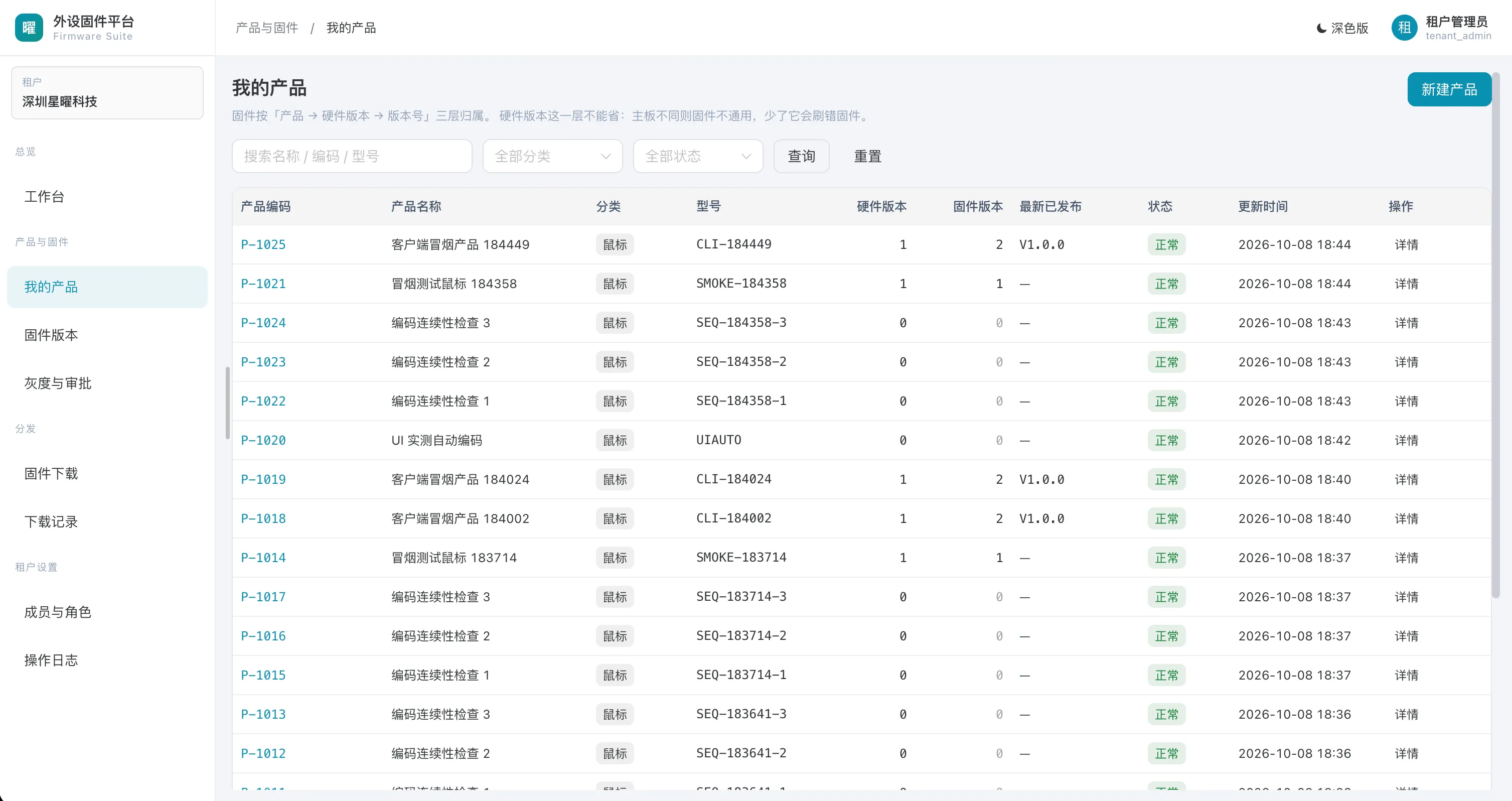
Search and filter the product list by name, code or model. Each product shows its currently released version and status.
Control rollout scope by percentage, watch real-device update success and feedback, then release in full once stable.
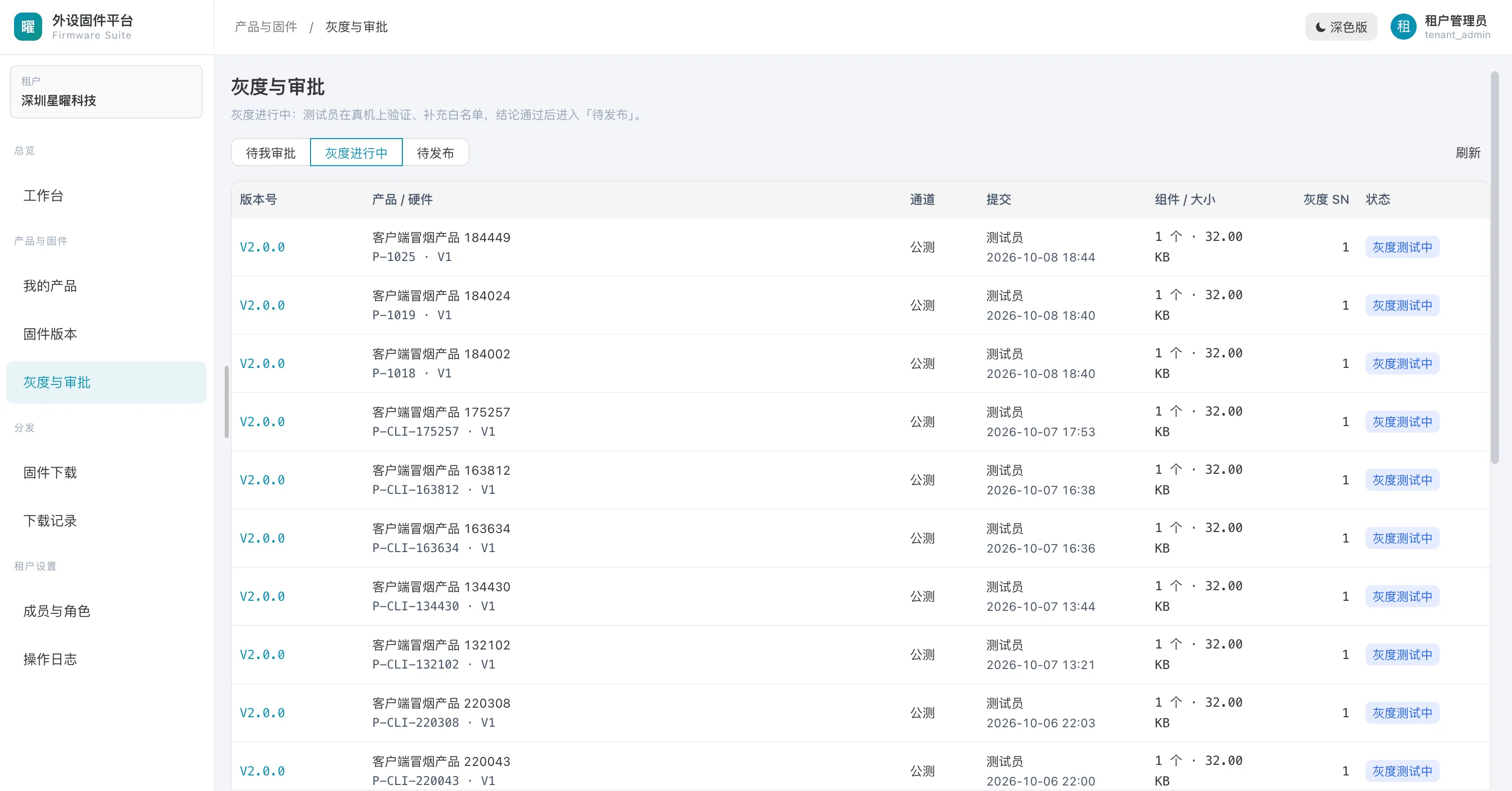
Submitted builds enter a review queue. Roles and permissions are configurable, so unverified firmware never reaches customers.
Release to a percentage or a named scope. Rejected update requests are logged too, so you can tell whether canary scope is too narrow.
Firmware downloads and client updates are fully recorded. Cumulative download counts and success rates export on demand.
Multi-tenant isolation. Assign view, submit, approve and release rights per role, with a full record of membership changes.
Every significant action is recorded — who changed what, and when. Fully traceable after the fact.
Works with the device-side firmware so end users update automatically, with no manual step.
The platform isolates by tenant and supports multiple teams and product lines in parallel. Contact us to open an account or discuss integration.