No install
No package, no setup wizard, no registry entries. Move to another machine and the same familiar interface is one link away.
PC Driver
No installer, no admin rights, no background service. The HIPERF web driver talks to your device directly through the browser — plug in and go.
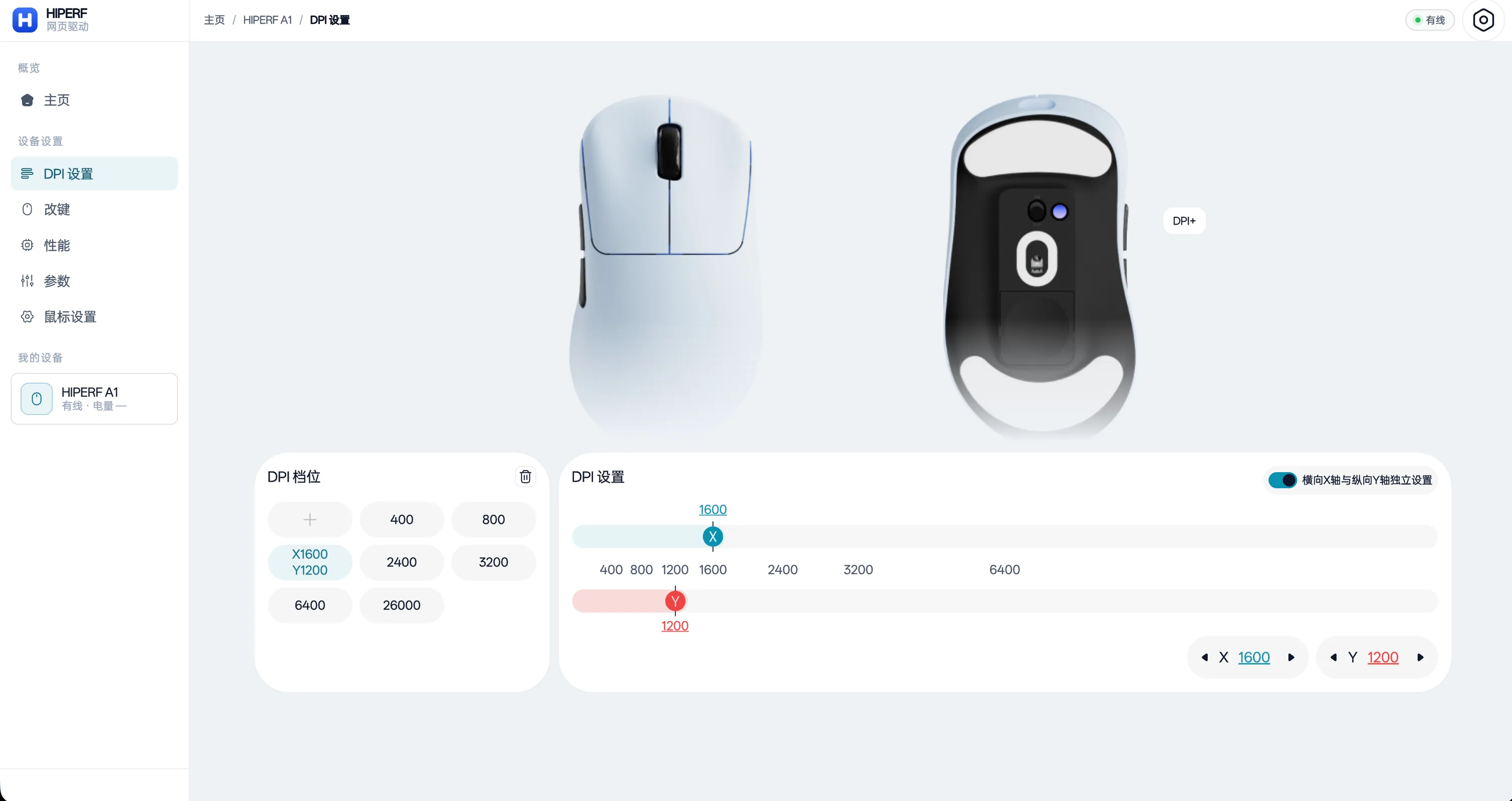
No package, no setup wizard, no registry entries. Move to another machine and the same familiar interface is one link away.
The same interface behaves identically on Windows, macOS and Linux — same configuration model, same steps.
Traffic between browser and device stays on the machine. Configuration is never uploaded or collected.
Store multiple DPI stages and switch on the fly, with independent X and Y axes so vertical and horizontal sensitivity can be tuned separately to your grip and habits.
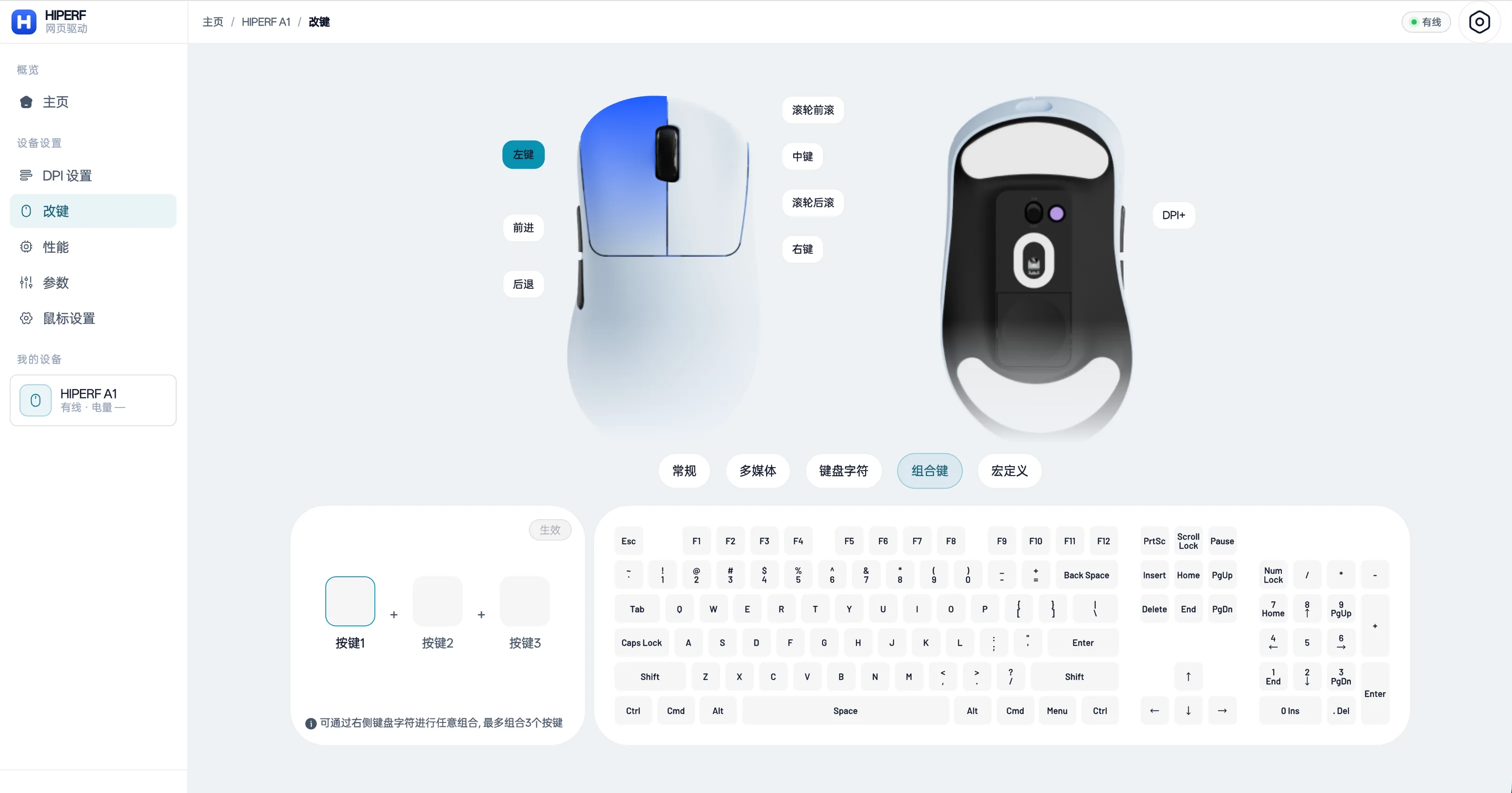
Map any button to whatever you need — combos, media controls or macros. Changes are written to the device immediately, so a new machine needs no re-setup.
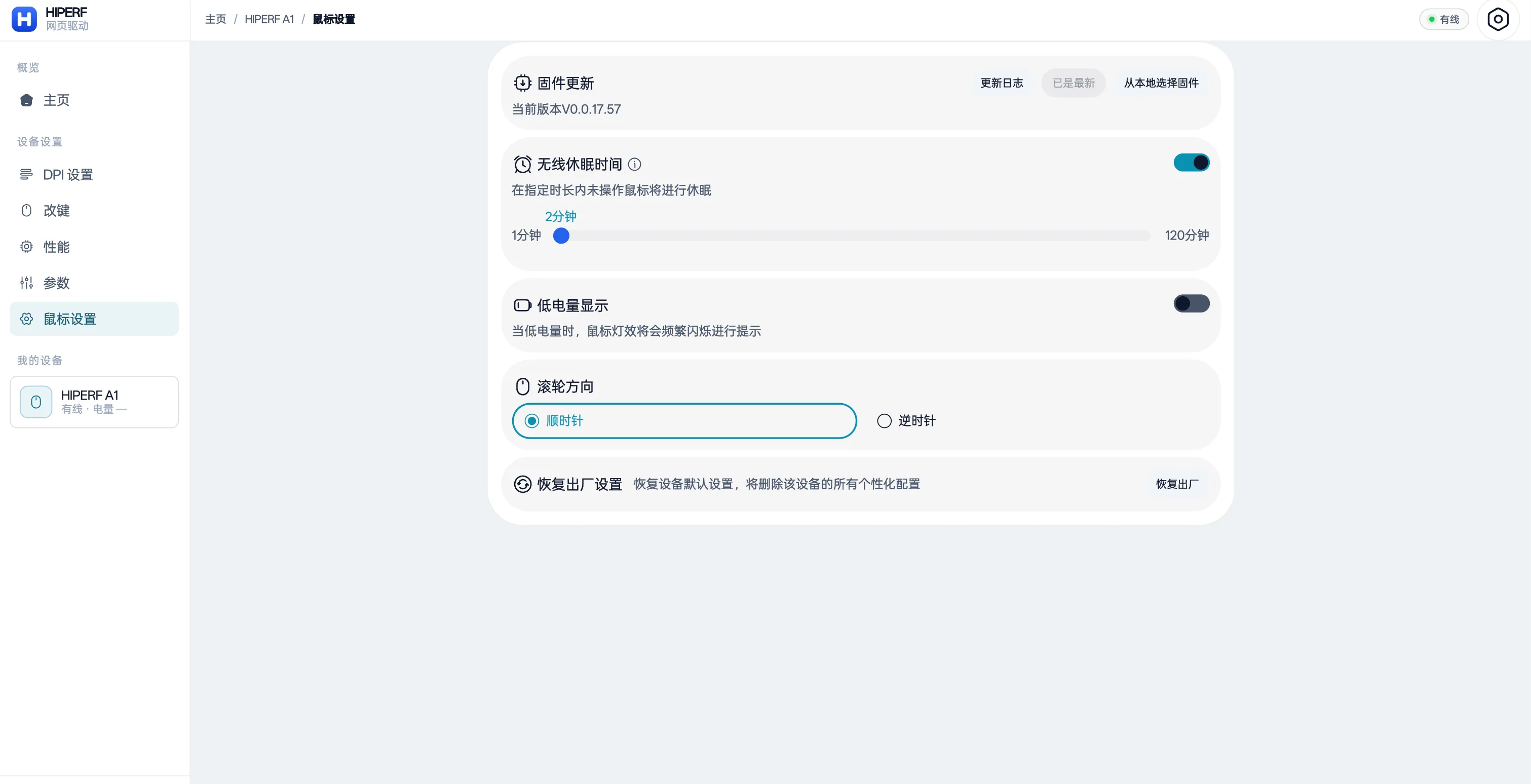
Firmware updates, wireless sleep timeout, low-battery indication, scroll direction and factory reset — all on one page, with device status and version at a glance.
The web driver relies on the WebHID API to reach the device directly. That API is currently only available in Chromium-based browsers.
Supported
Not supported
If you open the link in Safari or Firefox, the page will tell you it is unsupported. Copy the link into Chrome or Edge instead.
No registration required. Plug in the device and open the link.
Open Web Driverhttps://hub.hiperf.cn
Tell us your product form factor and target specs — we will come back with a matching hardware, firmware and toolchain proposal.